Start with a dimension you can verify
Use a property plan or a measurement from the site contact. Write the units and mark anything estimated. If you include a photo, use labels to show where the measurement applies.
Planning guide
Send a top view and a side view of the proposed site. Add a known measurement, label the intended position and ask the supplier which dimensions it needs to verify.
Prepare an inquiry Read the FAQs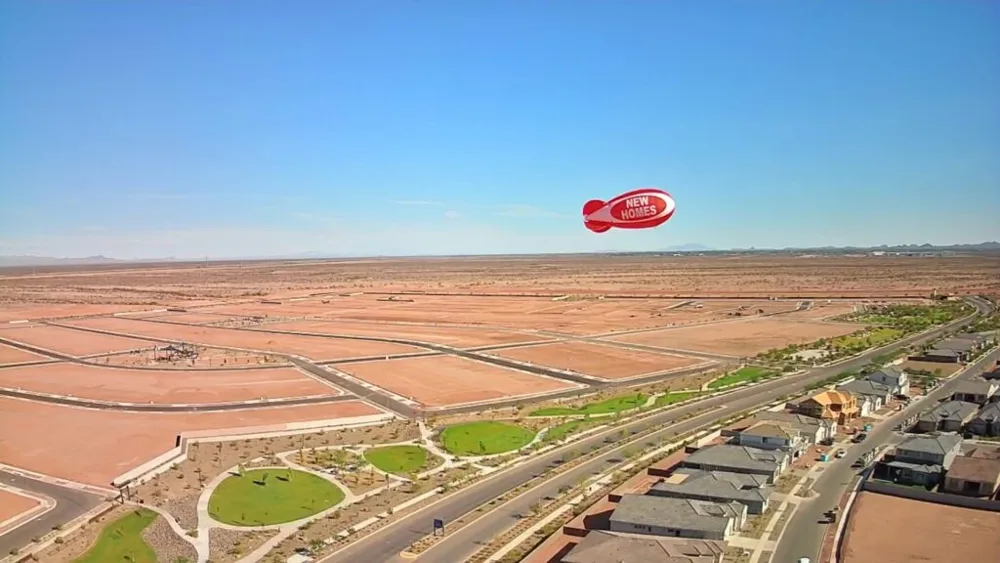
Use a property plan or a measurement from the site contact. Write the units and mark anything estimated. If you include a photo, use labels to show where the measurement applies.
Mark the display, buildings and public routes on the top view. Use the side view for roofs and other overhead features. Arizona Balloon Company describes these blimps as tethered helium displays. Ask for review of the actual model and position.
Send both views with the location and event dates. Ask which dimensions or photos would help it assess the proposal and who should review the placement at the property.
Sources checked November 11, 2026: Arizona Balloon Company advertising blimp guide.
We use helium balloons and advertising blimps supplied by Arizona Balloon Company. Ask the supplier to review the actual product and proposed location.
Interactive inquiry planner
Choose what you know. We will organize your details and the questions to ask next. You can review the text, copy it, or open an email draft.
This tool prepares text in your browser. It does not send a request, store your answers, calculate a price or reserve a display.
You can use this checklist without the planner and send an inquiry through our contact page.
Review these details before sharing them. Nothing has been sent.
If an email draft does not open in your mail app, copy the inquiry into an email or our contact form.
A readable sketch is useful if you label the views and dimensions.
Use photos for context and mark where the relevant measurements apply.
Use one unit system consistently and identify it on both views.
Mark estimates and ask which dimensions need confirmation.
Ask the supplier and property contact to review the proposed display.
It prepares a note. Attach the drawings to the email after reviewing it.
Send the details and ask the supplier to confirm the scope, timing and quote.